



In this post i would like to explain about how to create php charts using the Google API key. It is very simple to implement with few files.I have explained with demo.
The chart like this one:
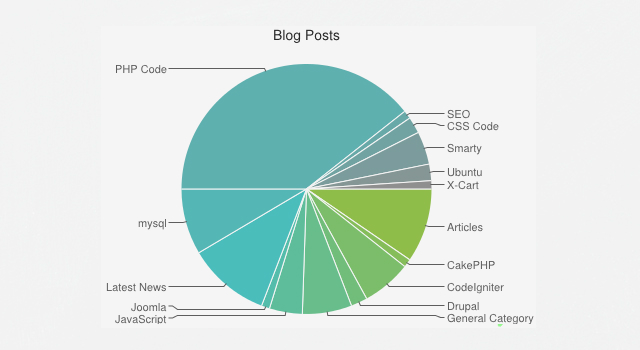
PHP charts with using Google API by Anil Kumar Panigrahi

|

|
To set the chart :
// Set graph data
$data = array(
'PHP' => 50,
'ROR' => 15,
'.NET' => 20,
'Designers' => 25
);
$data = array(
'PHP' => 50,
'ROR' => 15,
'.NET' => 20,
'Designers' => 25
);
To set the colors:
// Set graph colors
$color = array(
'#99C754',
'#54C7C5',
'#999999',
);
$color = array(
'#99C754',
'#54C7C5',
'#999999',
);
Supported Graphs:
1) Pie Charts
2) Bar graph
3) Timeline Graph
Just put the following php code where we have to place the chart.
/* # Chart 1 # */
echo '<h2>Pie chart</h2>';
$chart->setChartAttrs( array(
'type' => 'pie',
'title' => 'IT Market 2008 ',
'data' => $data,
'size' => array( 400, 300 ),
'color' => $color
));
// Print chart
echo $chart;
echo '<h2>Pie chart</h2>';
$chart->setChartAttrs( array(
'type' => 'pie',
'title' => 'IT Market 2008 ',
'data' => $data,
'size' => array( 400, 300 ),
'color' => $color
));
// Print chart
echo $chart;
It displays the chart.
We can manage the occupation from the “$data” feild.
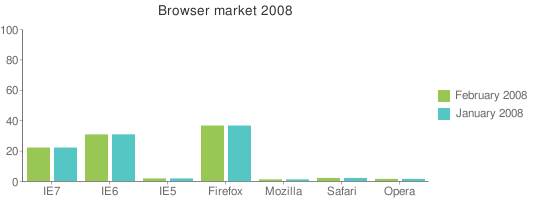
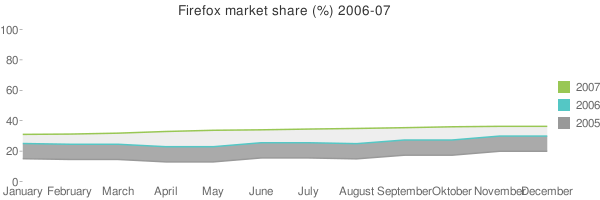
It is very nice to implement in the our sites.














This is very useful, thank you!
how to do horizontal bar graph?
Hello Chris,
There is another option called set the variable to $dataMultiple ,
and called that variable at
$chart->setChartAttrs( array(
‘type’ => ‘bar-horizontal’,
‘data’ => $dataMultiple,
.
.
));
Then it will give the horizontal graph also.
Thank you.
Wow!!!, it’s really nice…